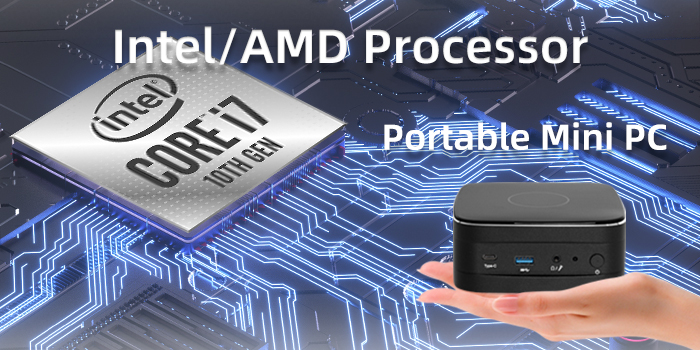
Mini computer, celebrated for their compact design and versatility, have become essential for modern workspaces and home setups.
However, selecting the right CPU—the brain of your mini PC—is critical to balancing performance, efficiency, and budget. Here’s a breakdown of key factors to consider:
1. Define Your Usage Needs
Start by identifying your primary tasks:
- Basic tasks (web browsing, office work): Opt for entry-level CPUs like Intel Core i3 or AMD Ryzen. These handle lightweight operations efficiently without overheating.
- Gaming/Content Creation: Prioritize high-performance processors like Intel Core i7/i9 or AMD Ryzen 7/9, which offer more cores and threads for multitasking and rendering.
- Hybrid Use (moderate gaming + productivity): Mid-range CPUs such as Intel Core i5 or AMD Ryzen 5 strike a balance between power and cost.
2. Understand CPU Specifications
Cores and Threads
More cores (e.g., 6-core or 8-core CPUs) enable smoother multitasking and faster data processing. For example, AMD Ryzen 5 5600 (6 cores/12 threads) excels in gaming and everyday workloads.
Clock Speed: Measured in GHz, higher clock speeds (e.g., 4.5GHz+) improve single-threaded performance, crucial for gaming and responsive applications.
Cache and Thermal Design
Larger cache (e.g., 32MB+) accelerates data retrieval, enhancing efficiency in repetitive tasks.
Thermal Limits: Mini PCs have limited space for cooling. Choose CPUs with low TDP (e.g., Intel U-series or AMD “U”/“G” processors) to avoid thermal throttling. Passive cooling designs are ideal for silent operation.
3. Compatibility and Expandability
- Socket Type: Ensure the CPU matches your mini PC’s motherboard socket (e.g., Intel LGA 1700 or AMD AM4/AM5). Mismatched sockets render upgrades impossible.
- I/O Ports: Verify support for USB-C, Thunderbolt 4, or HDMI 2.1 if you need multi-monitor setups or high-speed peripherals.
4. Brand Considerations
- Intel: Known for stability and strong single-core performance, ideal for gaming and software optimized for Intel architecture.
- AMD: Offers better value with higher core counts and energy efficiency. Ryzen 7000-series CPUs, for instance, outperform rivals in multi-threaded tasks.
5. Budget and Future-Proofing
- Entry-level CPUs cost 100–200, while flagship models exceed $500. Avoid overspending on unnecessary specs; a mid-tier CPU often suffices for 3–5 years.
- Consider upgradability: Some mini PCs allow CPU swaps, but many use soldered processors. Research before buying.
Top Picks for 2025
- Best Budget: AMD Ryzen 5 5600G ($150) – Integrated graphics, 6 cores.
- Performance King: Intel Core i7-14700KF ($400) – 20 cores for heavy workloads.
- Ultra-Compact: MSI Cubi NUC (Core Ultra 7 150U) – Dual Thunderbolt 4, fanless design.
Final Tips
Pair your CPU with fast DDR5 RAM and an NVMe SSD hard disk to eliminate bottlenecks. Check warranty terms; brands like Intel now offer 5-year coverage for select models.
By aligning your CPU choice with specific needs and technical constraints, you’ll unlock the full potential of your mini desktop computer—whether it’s for work, play, or creativity.